 Folder Sync
Local folder sync for Mac, iPhone, and iPad
Your Mac folders, on your iPhone and iPad.
Keep a folder of PDFs, videos, or project files with you. Folder Sync copies new and changed files over local Wi-Fi or USB-C. No cloud account or upload required.
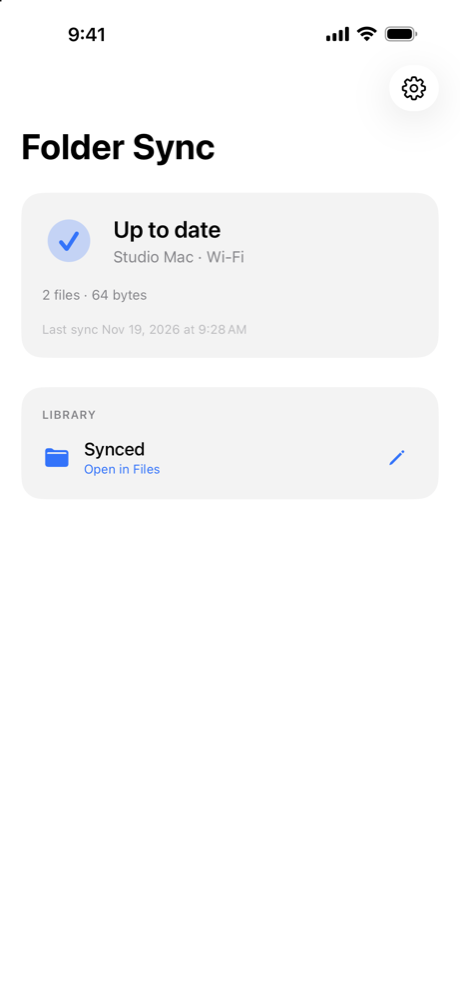
From folder to Files
Pair once and open your copies in the Files app, even when the Mac is away.
Choose a folder
Open Folder Sync in the Mac menu bar and pick the folder you want to copy.
Pair your devices
Connect to the same Wi-Fi, allow Local Network access and enter the six-digit code from your Mac.
Open your files
Leave Folder Sync open on your Mac. On your iPhone or iPad, open the app and tap Open in Files.
What sync does
The Mac is the source. Your iPhone and iPad keep their own copies.
- Copies new and changed files
Edits you make on mobile stay on that device. Removing a file from the Mac leaves the downloaded copy in place.
- Uses a cable when available
After pairing, connect by USB-C with both apps open, or sync over local Wi-Fi.
- Keeps finished files available
Downloaded files are available without the Mac. Wi-Fi downloads already underway can continue when the iOS app goes into the background.